 Pinvas
Tidy the board
Ctrl+P packs pictures into one tight block, shaped to fit your board, so you can see all of them without hunting for the one you dropped behind another.
- Move the mouse over the board.
- Select the pictures to pack, or select nothing.
- Press Ctrl+P.
With two or more pictures selected, only those are packed. With fewer than two selected, every picture on the board is packed and the view then fits the whole board. Each picture keeps its size and its turn: they only change places, with a small gap between them.
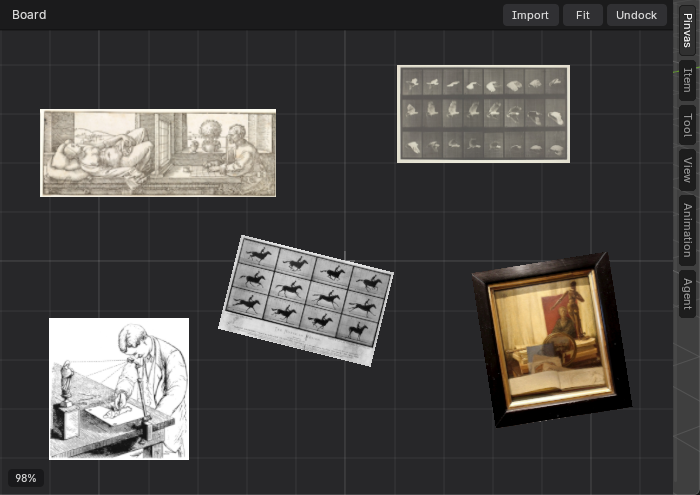
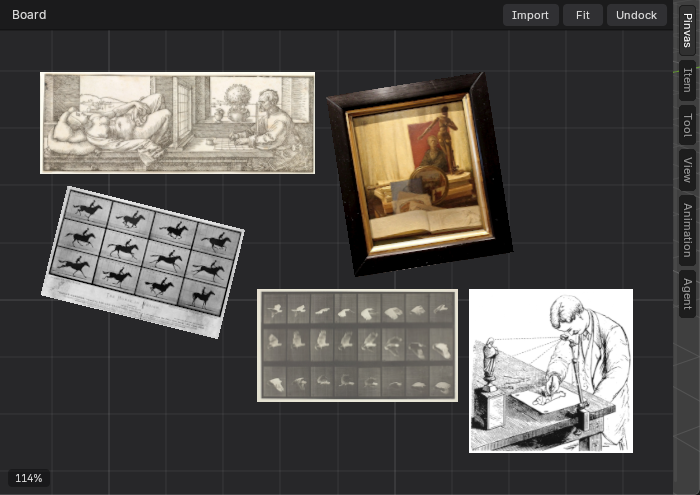
The right-click menu lists the same command as Tidy the Board. It is one undo step, so Ctrl+Z puts the pictures back where they were.
A board with fewer than two pictures has nothing to pack, and Ctrl+P does nothing.
Next: greyscale and see-through.