 Pinvas
Quick start
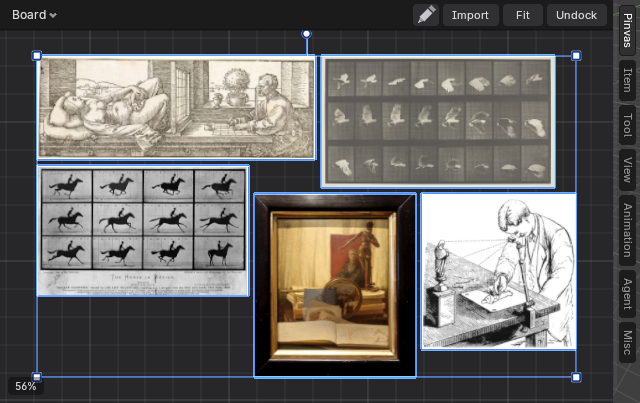
This takes about three minutes and ends with five pictures packed into one block beside your viewport.
- Open the Pinvas tab in the 3D View sidebar.
- Click Import on the board's bar.
- Select five picture files in the file window and confirm.
- Move the mouse over the board and press Ctrl+P.
- Press Home to fit every picture into view.
The pictures arrive in a row in the middle of the board, sized to fit, and stay selected. Ctrl+P is Optimal pack: with pictures selected it packs those, and with nothing selected it packs the whole board.
Keys only act while the mouse is over the board. Everywhere else Blender behaves as usual.
Next: add, move and edit pictures, or arrange the board.