Driving from another property
Most templates animate over time. Some follow another value instead, such as a slider, a distance or a controller.
Time or another property?
A blink runs because time passes. A remap, threshold or controller template waits for a value to change and responds to it. The value it follows is the input; the property it animates is the destination.
For example, a slider or custom property on a controller object.
Remap, clamp, switch at a threshold or reshape the value.
For example, a light’s Power or a door’s angle.
Set it up
- Choose a template that follows an input, for example one from Remap & Blend or Trigger & State.
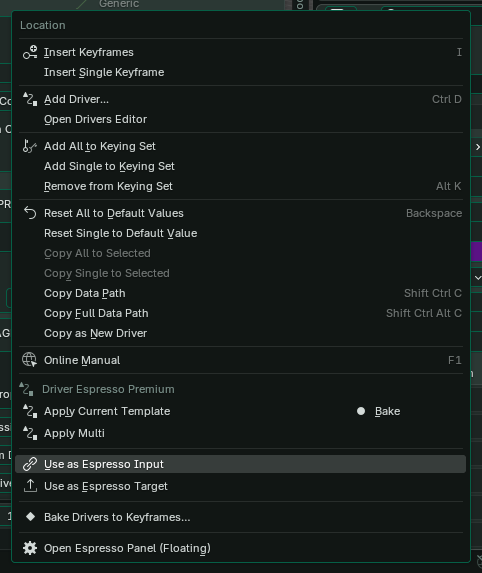
- Right-click the property you want it to follow and choose Use as Espresso Input.
- Set the input range to match that property. A 0–1 slider and a distance in metres need different ranges.
- Right-click the property you want to animate and choose Apply Current Template.
- Change the input value and watch the destination respond.
The Controller tab lists the inputs you’ve set up, so you can find and adjust them later.
Avoid loops
Don’t let a property follow itself, directly or through another driven property. Keep a clear direction from the input to the result. If Blender warns about a dependency cycle, remove the loop.