Troubleshooting
Most problems come down to the property you picked, the current frame or a missing helper object. Start here.
Nothing moves when I press Play
- Check that the template was applied, not only previewed. The field turns purple once it’s driven.
- Check you’re on a frame where the motion runs. A one-shot motion, such as a door closing, only plays from its start frame.
- If the template follows another property, check that property is actually changing.
Live doesn’t show my effect
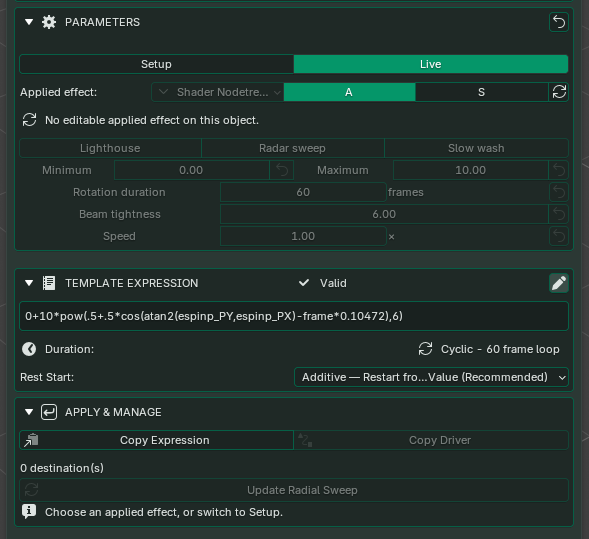
The effect may be stored on a material, light or controller rather than the object you selected. Select the owner, then click Reload Live Parameters. Where does the effect live? shows where to look. Reloading can’t bring back a driver that was deleted; apply the template again in that case.
My ball is flat after copying it
Ball Bounce needs its hidden helper object. Copy the helper along with the ball, or reopen a saved copy of the file with the complete setup and apply the template again, using the same settings as before.
The door or rotor turns around the wrong point
Espresso turns the object around its origin. Move the origin to the hinge or the centre of the rotor, and check its rotation axis and parent, before you apply.
The material glows but doesn’t light the scene
A glowing material and light falling on other objects are two different things. Add a real light for the illumination, and animate its Power alongside the material. Check your render engine too: Eevee and Cycles handle glowing materials differently.
Where are the keyframes?
Espresso animates with drivers, not keyframes, so you’ll find the effect under Drivers, not in the timeline’s keyframes. If you need keyframes, for example for an export, see When to bake.
Playback is slow
Compare Solid and Rendered shading, then hide heavy modifiers and lights one at a time to find the cause. If Blender warns about a dependency cycle, see Avoid loops.
Getting help
Still stuck? Email support@oebs-studios.com. To help us sort it out quickly, include:
- your Blender version and Driver Espresso edition;
- the template you used and the property you applied it to;
- whether you were in Setup or Live;
- any error message, copied in full.
A small .blend file that shows the problem helps most of all.