The interface
Everything lives in the Espresso tab of the 3D Viewport sidebar (N). Here’s what each part does, from top to bottom.
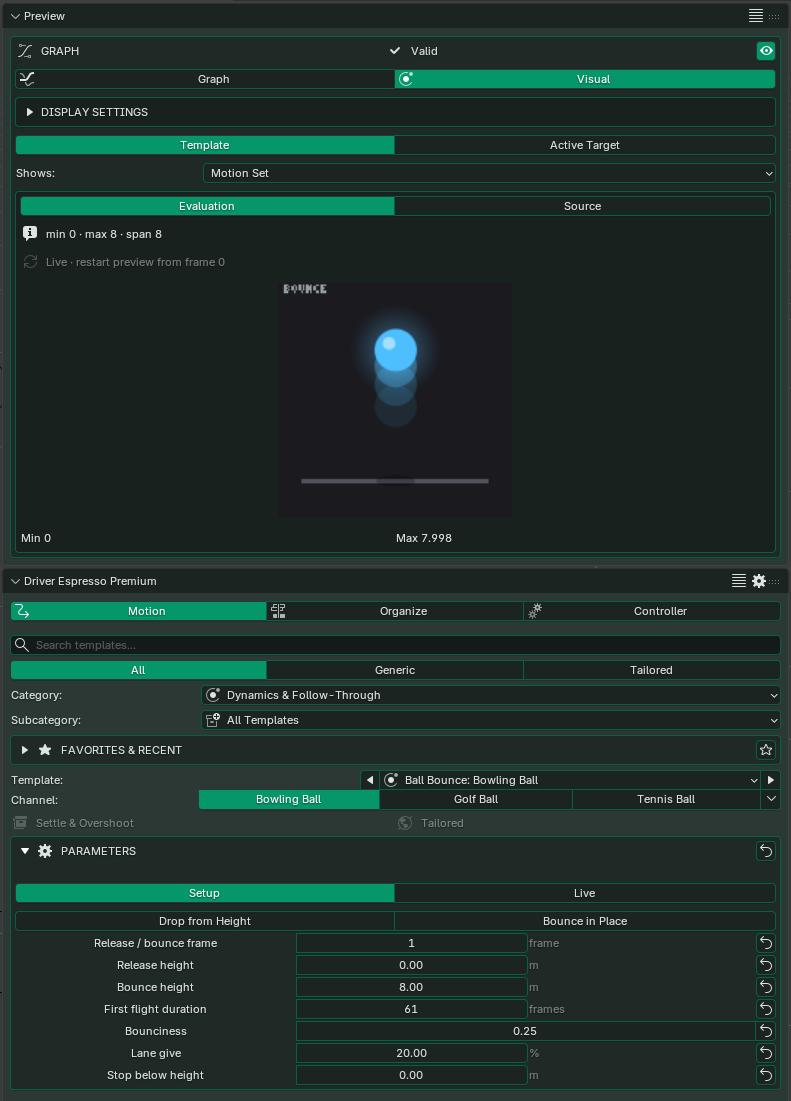
The three tabs
| Tab | What it’s for |
|---|---|
| Motion | Choose, set up and apply templates. You’ll spend most of your time here. |
| Organize | See the effects you’ve applied in the scene and manage them, and prepare layouts for templates that animate several parts together. |
| Controller | Find and adjust the controllers used by templates that follow another property. See Driving from another property. |
Finding a template
Type what you want to animate into the search box, such as blink, drawer or clock, or narrow the list with the Category and Subcategory menus. Only the templates in your edition are listed.
- Generic templates are general-purpose building blocks, such as a sine wave, a constant spin or a remap.
- Tailored templates are made for one job and have controls named for it, such as Door Slam & Rebound or Analogue Clock.
- Favorites & Recent (Driver Espresso and Premium) keeps the templates you star and the ones you used recently at the top.
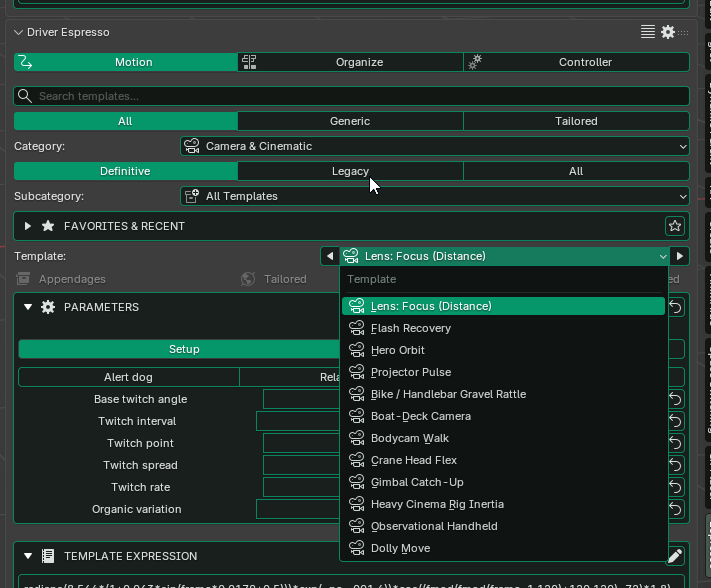
Channels
Some templates come as a set of parts that work together, called channels. Analogue Clock has a channel for each hand: second, minute and hour. Police Lights has one for each colour. Apply each channel to the part it belongs to. The channels appear as buttons above the parameters.
Parameters and presets
Each template has its own controls, and many have presets, such as Light breeze, Strong wind and Storm, to get you started. Hover over a field to see what it does and which unit it uses. The reset arrow next to a field puts that value back to its default. It doesn’t remove an effect you’ve applied; for that, use Clear Applied Motion in Apply & Manage.
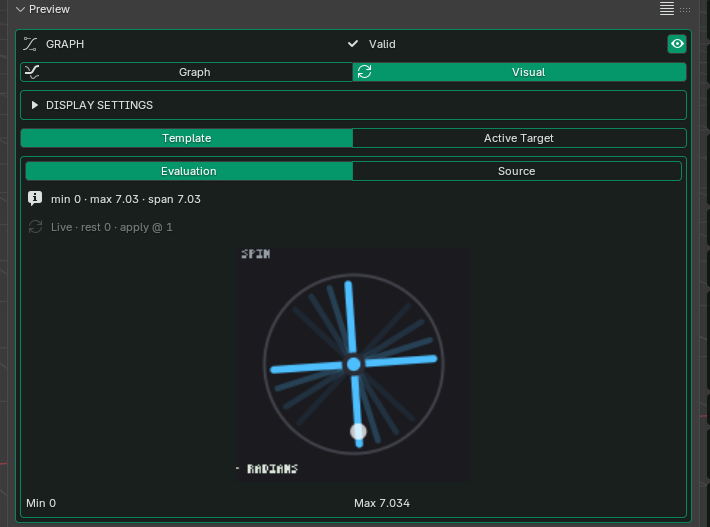
Previewing the motion
Graph Preview is in every edition. It draws the value over time: higher means a bigger value, and more waves in the same space mean a faster rhythm. If the line is flat, the motion may not have started yet at this frame, a one-shot motion may already have finished, or the property it follows may not be changing.
- Evaluation shows what will actually be applied, including Rest Start and Clamp.
- Source shows the template’s own shape.
Visual Preview (Premium) shows the motion as a small picture, such as a swinging lamp or a turning dial, so you can read it at a glance. It’s only a picture: it doesn’t add anything to your scene.
Template Expression
This section shows the driver expression the template will create, with a check that it’s valid. Use Copy Expression or Copy Driver to paste it somewhere else, such as another driver.
Apply & Manage
This section shows where the template will be applied and warns you if that property already has an effect. The Apply buttons change with the template. For a row of lamps that share one material, for example, you’ll see Apply with Shared Material and Apply & Split Shared Materials.
- Choose Target sets where the template will go: right-click the property you want. Use Last Target points it back at the property you applied to last. Neither changes anything until you click Apply.
- Update Last Target applies the current settings again to the property you applied to last.
- Clear Last Driver and Clear Applied Motion remove effects you’ve applied.
- Bake Last Driver… turns an effect into keyframes. See When to bake.
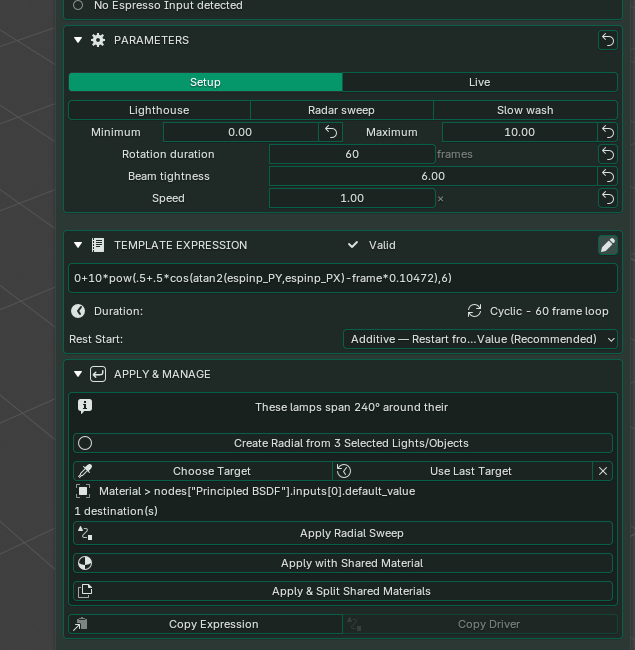
Before you apply, check the object and property named in this section.